The LinkedIn Glow-up :
My Redesign Journey
LinkedIn has over 900 million users, but many struggle with cluttered navigation and overwhelming features. Through systematic heuristic analysis, I identified key usability issues and redesigned core flows to create a more intuitive, focused experience.
ROLE
UX/UI Designer
TOOLS
Figma, Figjam
SKILLS
UX Research, Wireframing, Prototyping, Mobile UI Design, Usability Testing.

CHALLENGE
While LinkedIn dominates the professional networking space, users frequently encounter frustration during the job search and application process.
Key pain points include:
Unclear feedback when searches yield no results
Non-intuitive iconography requiring memorization
Loss of application progress without warning
Inconsistent filter naming and placement
Vague error messages that don't help users recover
APPROACH
I conducted a comprehensive heuristic evaluation based on Jakob Nielsen's 10 Usability Heuristics. I focused on the areas where LinkedIn has significant opportunities for improvement.
HEURISTIC ANALYSIS
The Problem : Visibility of system status + Consistency and Standards + Recognition Rather Than Recall
VISIBILITY OF SYSTEM STATUS
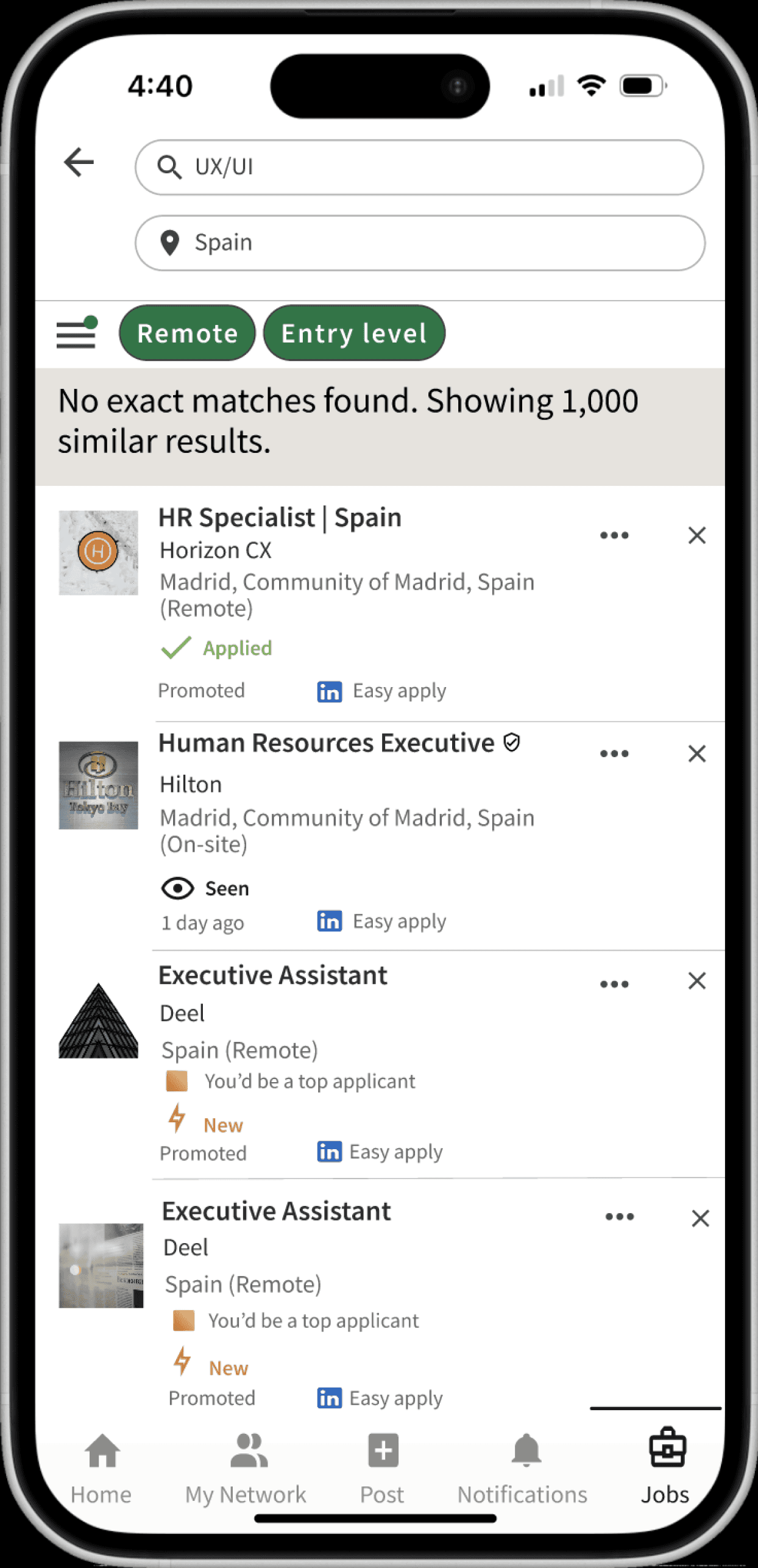
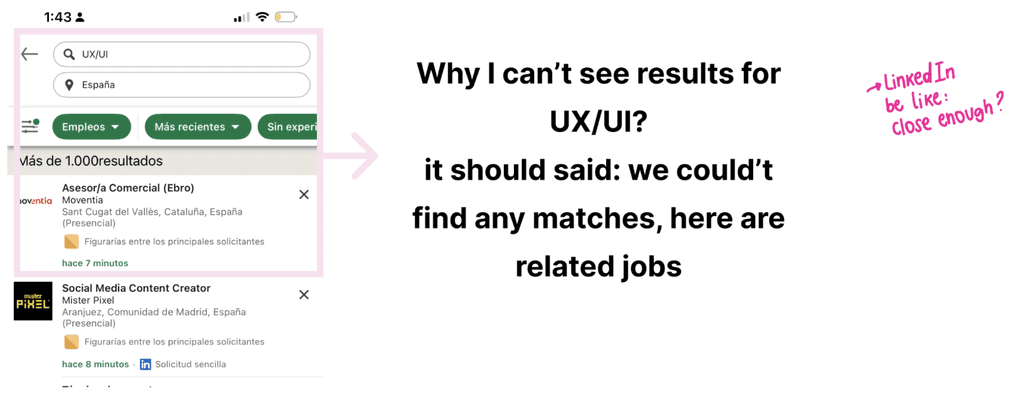
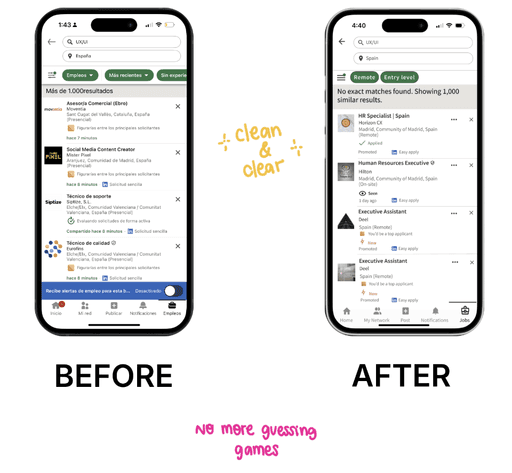
When searches return no results, users see random jobs without understanding why.
CONSISTENCY AND STANDARDS
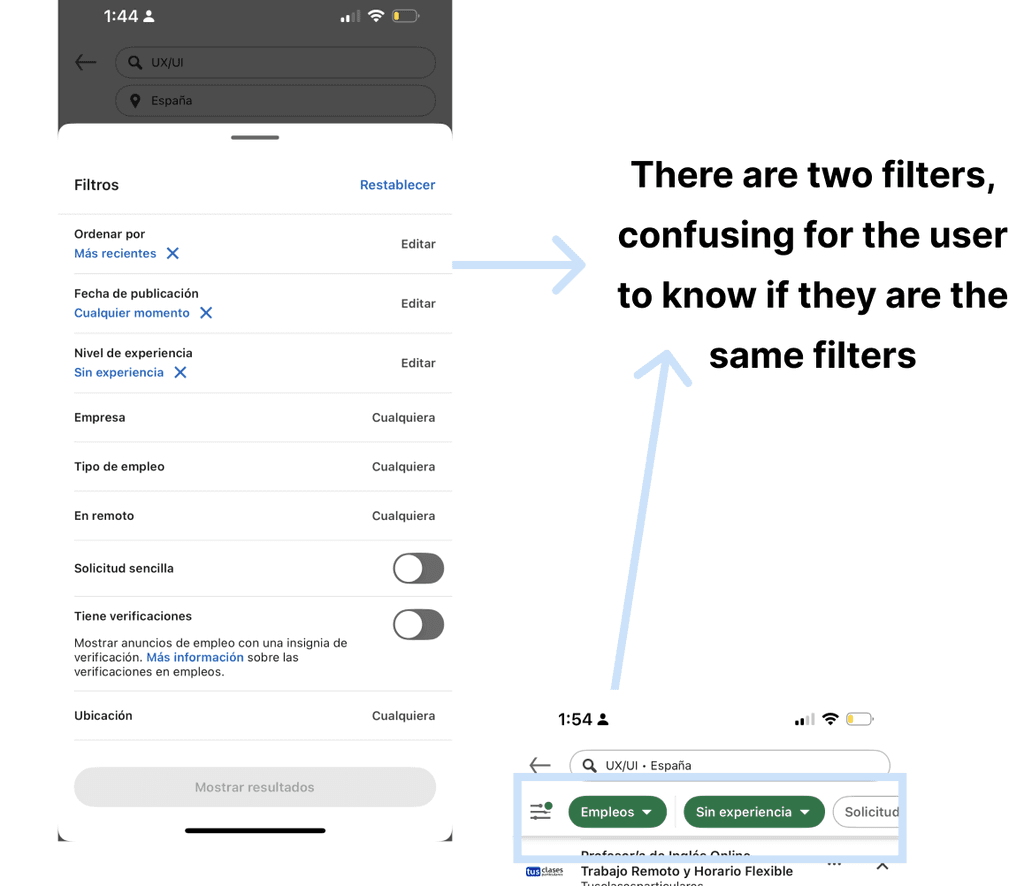
Filters appear duplicated in different formats (chips and list), creating inconsistency in how the filtering system works
RECOGNITION RATHER THAN RECALL
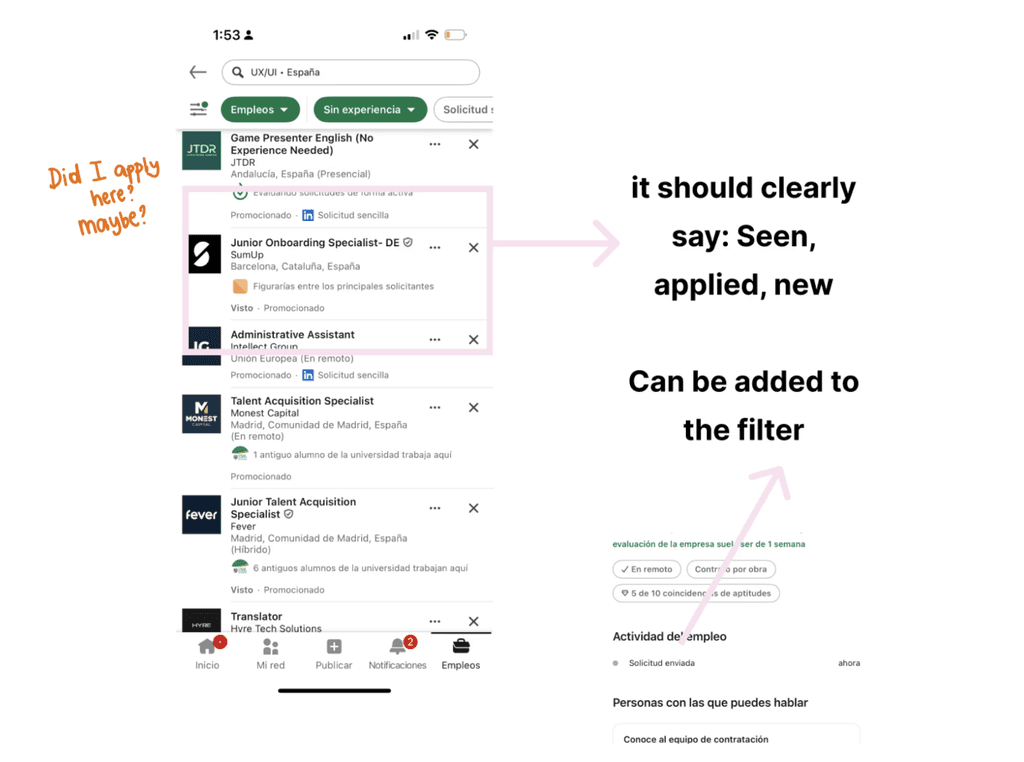
Users can't easily track the status of their job applications. LinkedIn doesn't clearly communicate where each application stands in the process, forcing users to remember which jobs they've viewed, applied to, or received responses from.
The Solution
Clear messaging explaining what happened and why alternatives are shown, consolidated filter display to show only active filters as green chips at the top, with a hamburger menu to access all filter options.
Last but not least added clear, visible status labels to each job posting:
New - Jobs the user hasn't viewed yet
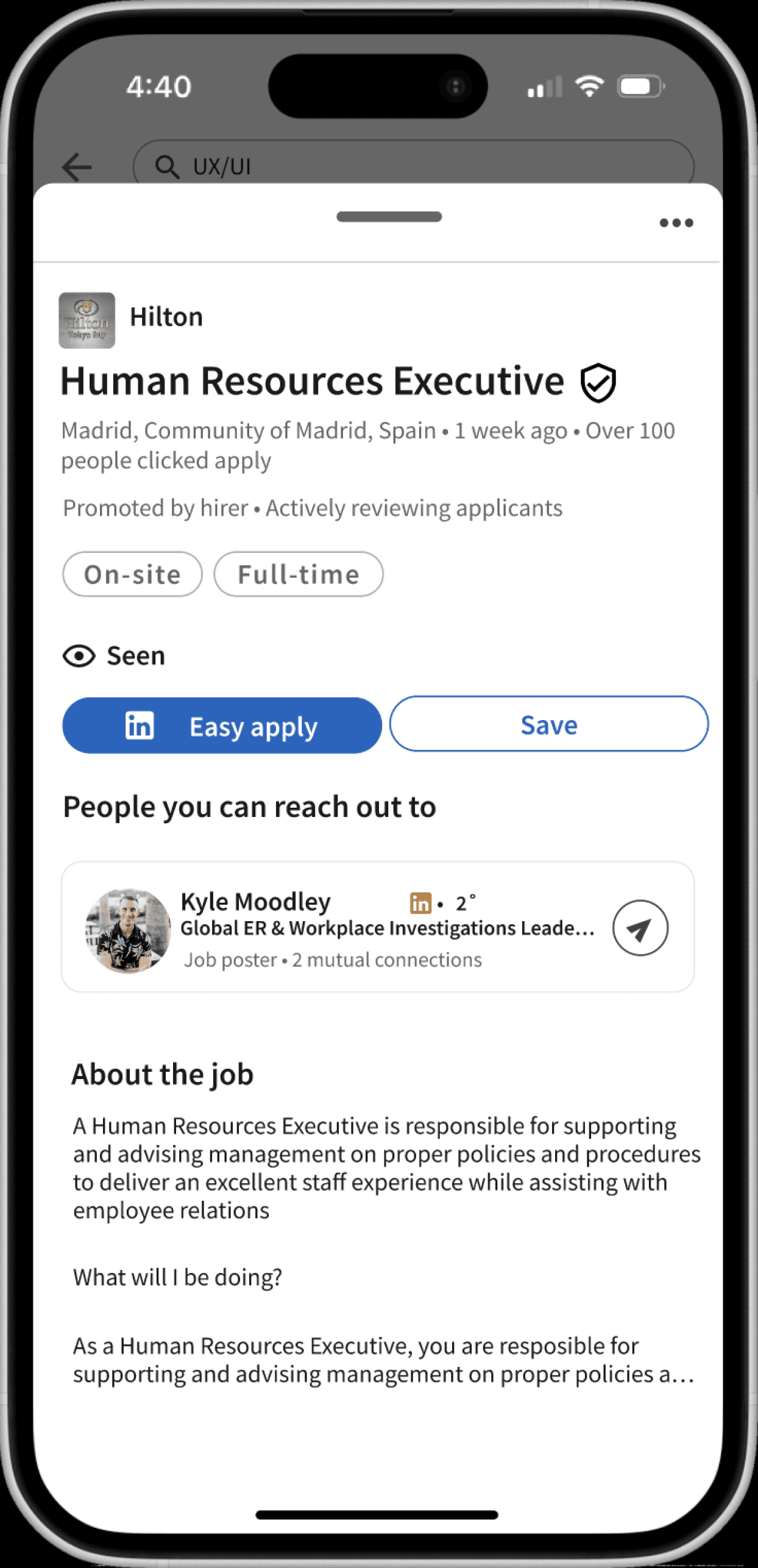
Seen - Jobs the user has viewed but not applied to
Applied - Jobs where application has been submitted
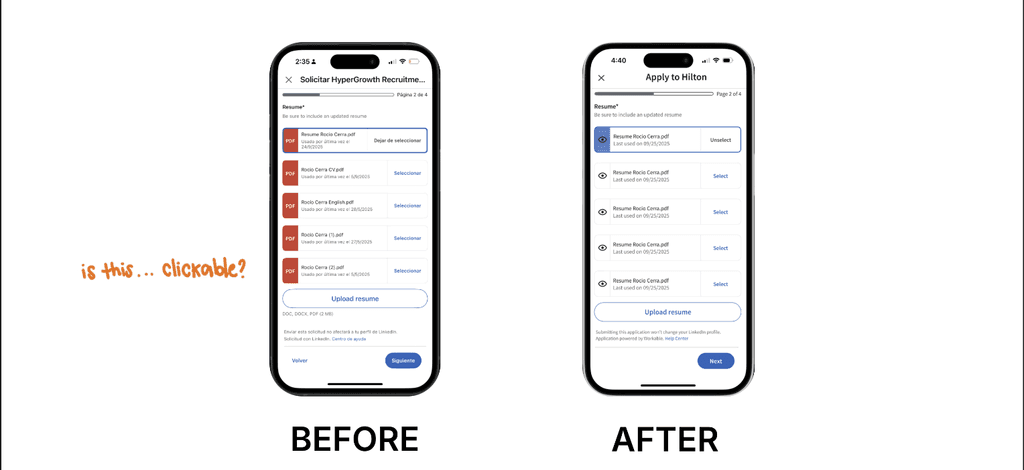
The Problem : MATCH BETWEEN SYSTEM AND THE REAL WORLD
The system should speak the users' language, with words, phrases and concepts familiar to the user, rather than system-oriented terms.
The Solution
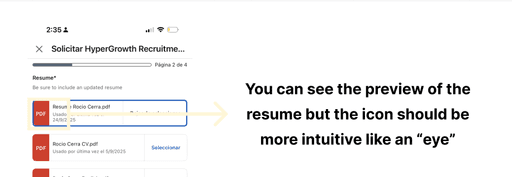
Replaced the PDF icon with an intuitive eye icon to clearly communicate the preview functionality. Users now immediately understand they can view their resume before selecting it, without needing to memorize that the PDF icon served this purpose.
LEARNINGS
Nielsen's 10 heuristics gave me a systematic way to identify usability problems beyond "this doesn't look good."
I learned to prioritize issues by severity rather than personal preference.
The filter screen had problems with both visibility and consistency. This taught me that UX issues are often interconnected, and good solutions can address multiple heuristics at once.
Changing a single PDF icon to an eye icon can solve an entire preview confusion
As next steps I would conduct usability testing to validate if my solutions actually work.